Checked before you open Easy8
Turndesk reads your tickets, your calendar and your git folders, then works out the order of your day, whose move it is, your hours and your next step. All of it runs on your computer, from your own history, without AI.
Numbers from the example team in the screenshots below.
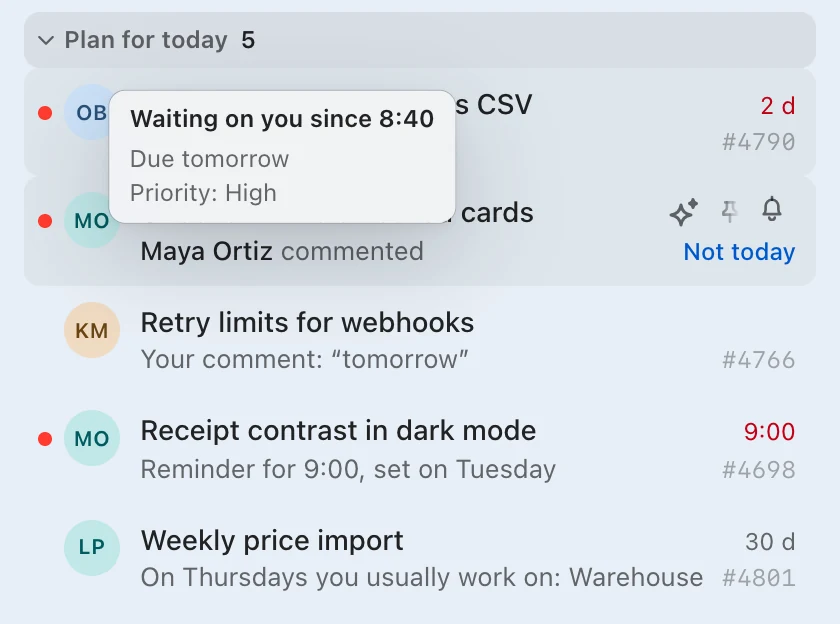
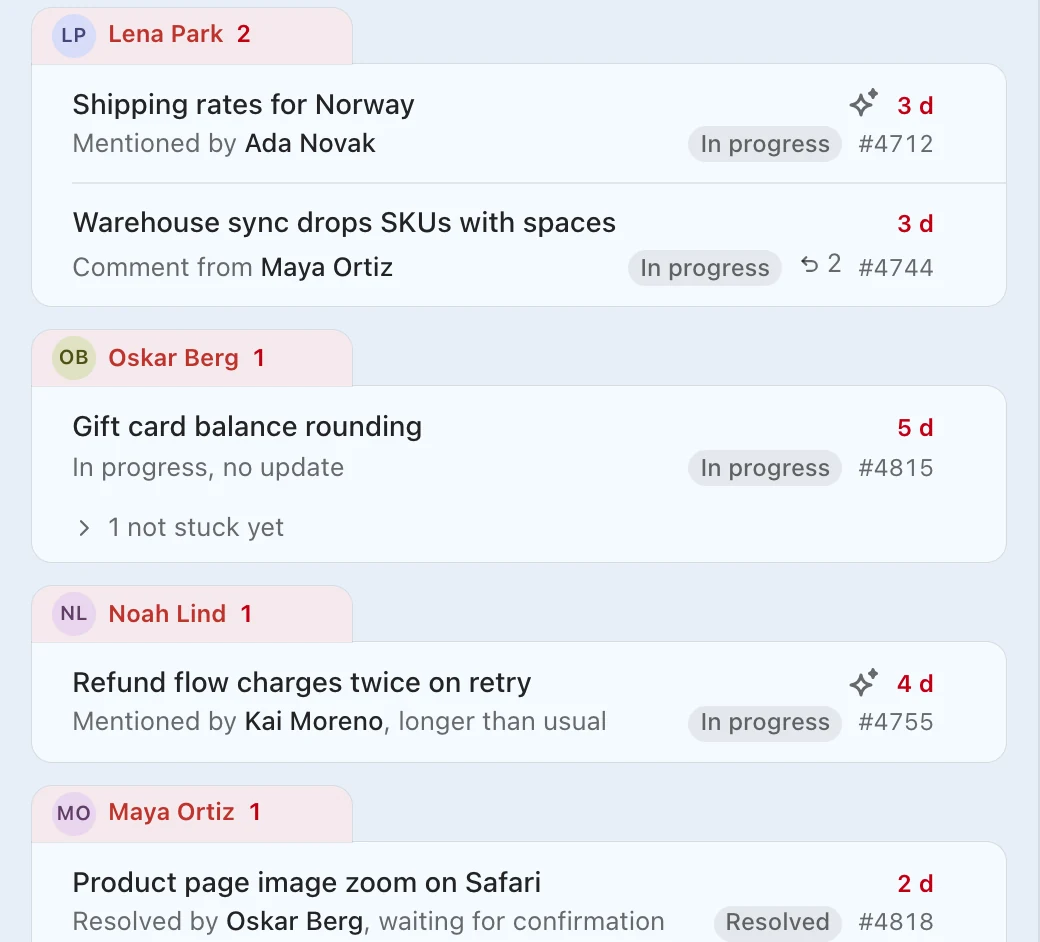
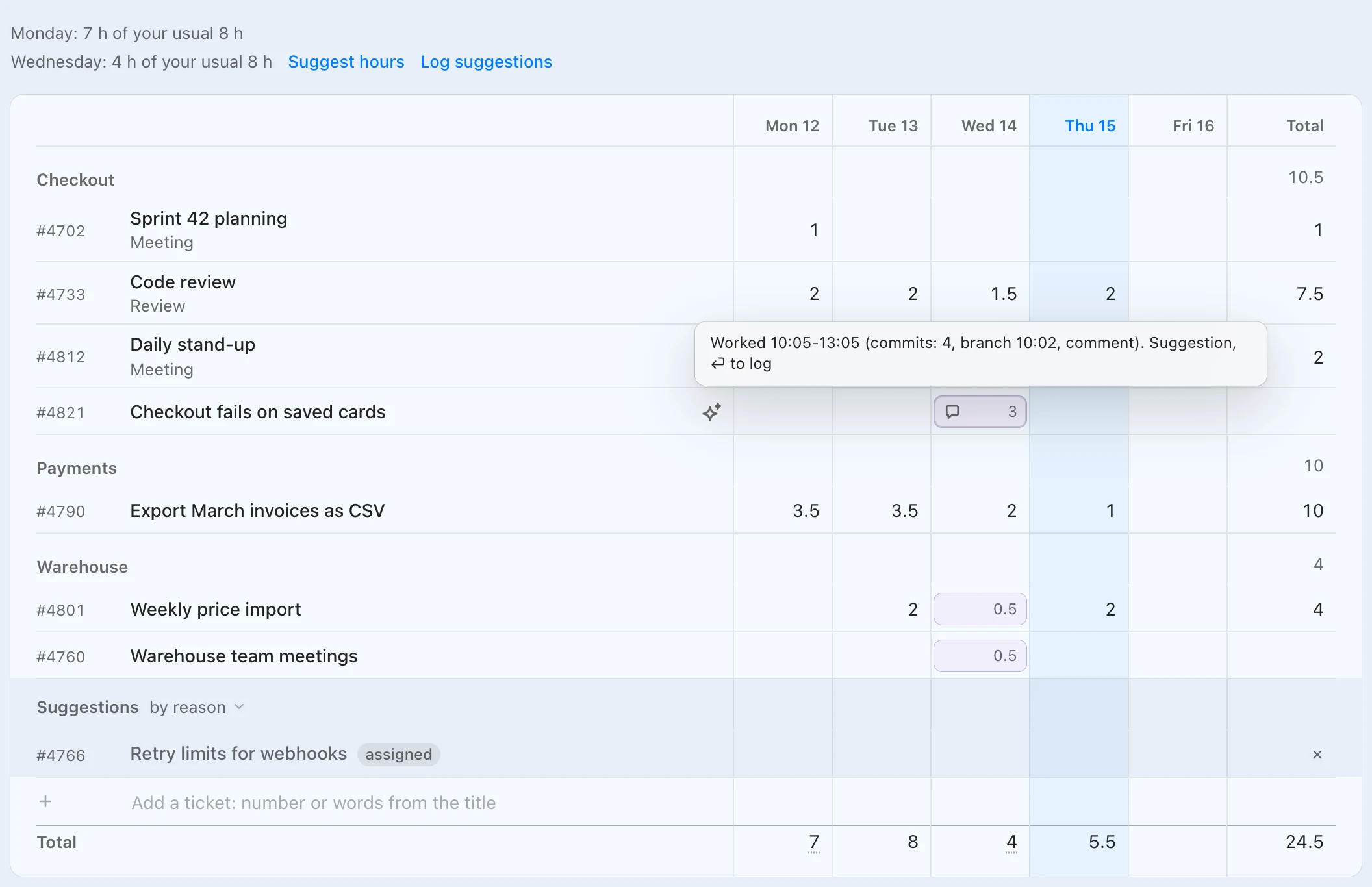
Thursday, 9:41. You have 5 tickets for today. 7 are stuck across the team. Wednesday is missing 4 h, already drafted. 3 tickets fit the Stock review meeting. And after In progress comes In review, 7 times out of 9.
Plan for today, in Turndesk Tray
Your five, most urgent first.
A hover note on each row says why it is there.
It reads
- Waits on you, in working days
- Due dates, missed ones on top
- Your reminders, and a “tomorrow” or “on Monday” in your comments
- Priority against your server's default
- What you usually work on that weekday
Stuck, in Turndesk
Whose move it is.
A ticket counts as stuck after 2 working days without a reply. Days off do not count.
It reads
- Assignments, mentions and comments in each ticket
- Each person's last reply
- Days off
- Blocking tickets that are still open
- How long this status usually takes in the project
My time, in Turndesk
Missing hours, drafted per ticket.
The Suggest hours button spreads the gap over the tickets you worked on that day, and a hover note in each cell says where its hours came from.
It reads
- Commits and branch switches in the git folders you add
- Your own comments and status changes
- Meetings from your calendar
- Tickets you log time to every day
- Which of these you logged before
Git history and calendar events stay on this computer. Easy8 gets only the hours you log.
Recurring meetings, in Turndesk
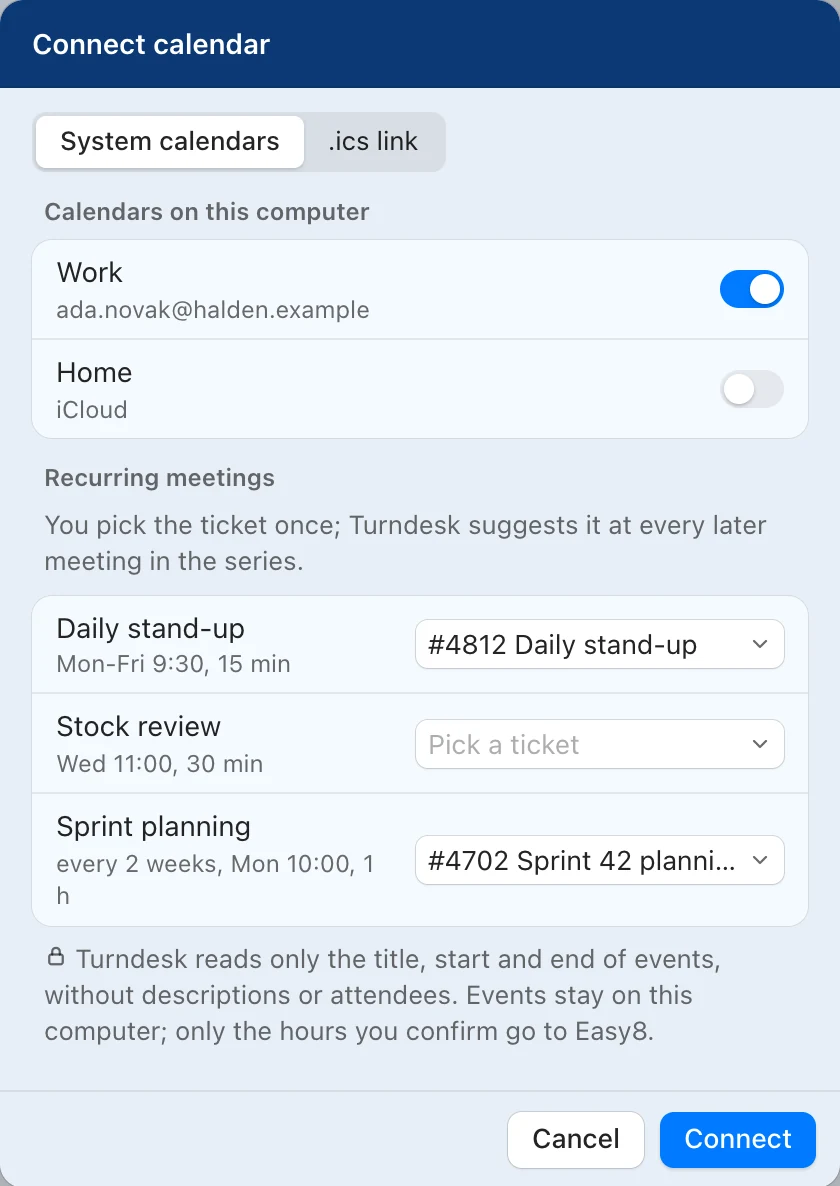
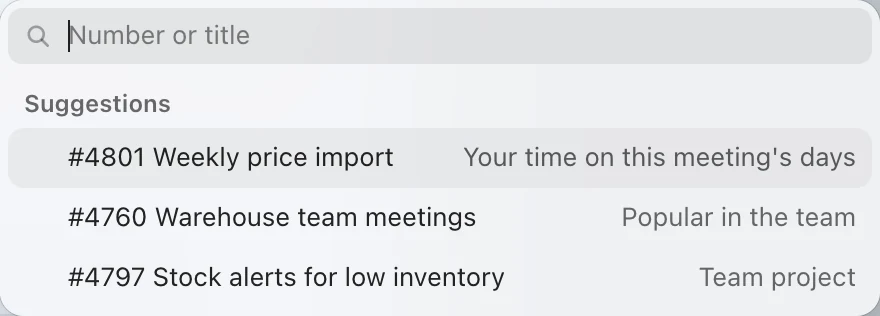
One pick per meeting series.
You pick a ticket once, and every later meeting in the series turns into an hour suggestion. Meeting titles never reach Easy8 or an AI model.
It reads
- Title and time of each event, no description or attendees
- Your time on the days of that meeting
- Tickets your teammates log meetings to
- Open tickets in your team's projects
Reply, in Turndesk
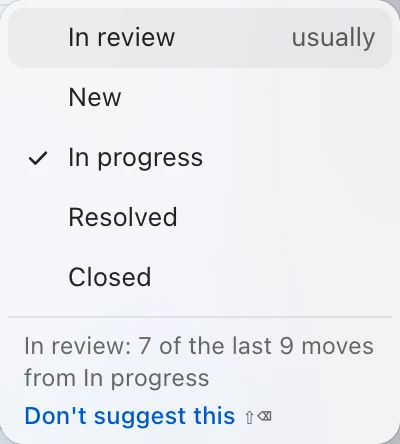
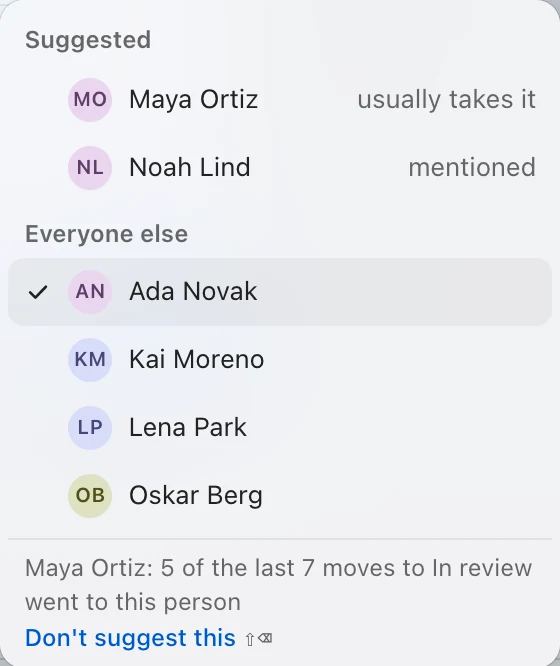
The next status and person, from the project's history.
The status and assignee lists start with what usually comes next in the project, with a count such as 7 of the last 9 moves.
It reads
- Status changes in the project's history
- Who the ticket went to after the status change
Where does AI come in?
Only with your key.
A language model writes drafts of replies and new tickets once you add your own Anthropic or OpenAI key. The page When Claude is active covers what the model sees and what it can change.